

Download IPEVO Annotator – Free Whiteboard Annotation Tool for Windows, macOS, Android & iOS
Overview
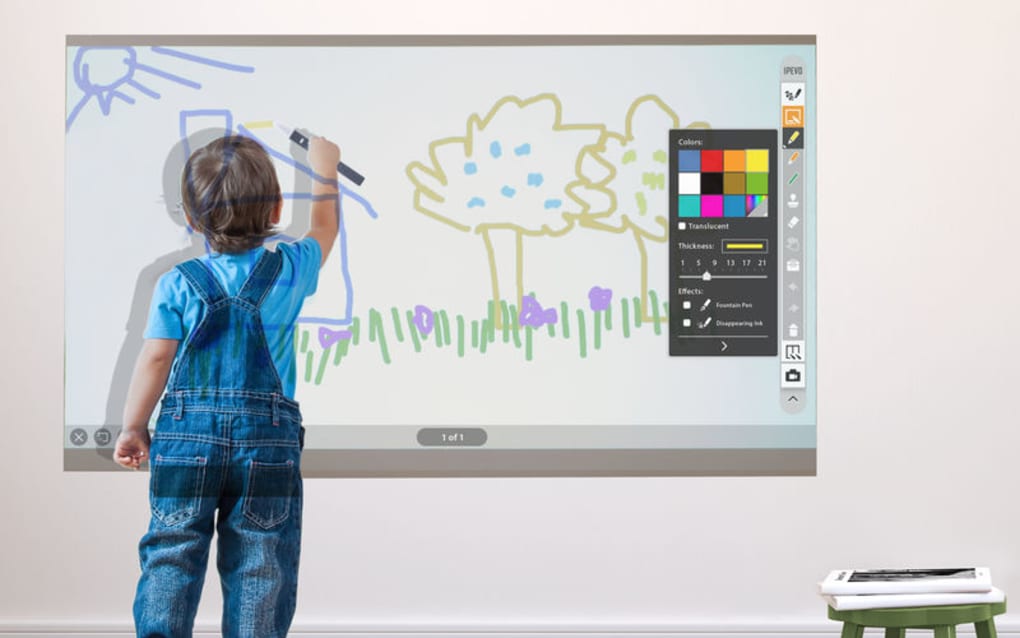
IPEVO Annotator is a free, lightweight utility that transforms any projected image or screen capture into an interactive whiteboard. Designed for teachers, presenters, and remote‑learning enthusiasts, the app lets you draw, write, insert shapes, and add measurement tools directly over your existing content. Whether you’re delivering a lecture, conducting a webinar, or brainstorming with a team, IPEVO Annotator provides an intuitive canvas that reacts in real time.
The program also supports screenshot and video capture, enabling you to preserve annotated lessons or demos for later review. With dual‑pen support, two users can collaborate simultaneously, fostering a more dynamic classroom or meeting environment. The eraser mode offers selective removal, so you can keep your board tidy without clearing everything.
Built on a secure, regularly‑updated codebase, IPEVO Annotator runs on multiple platforms without hidden fees, making it an ideal choice for anyone seeking a cost‑effective way to boost interactivity.
Key Features
- Free download with no hidden subscriptions.
- Multiple virtual pens with adjustable thickness and opacity.
- Dual‑pen mode for simultaneous annotation by two users.
- Rich shape library – arrows, rectangles, circles, and more.
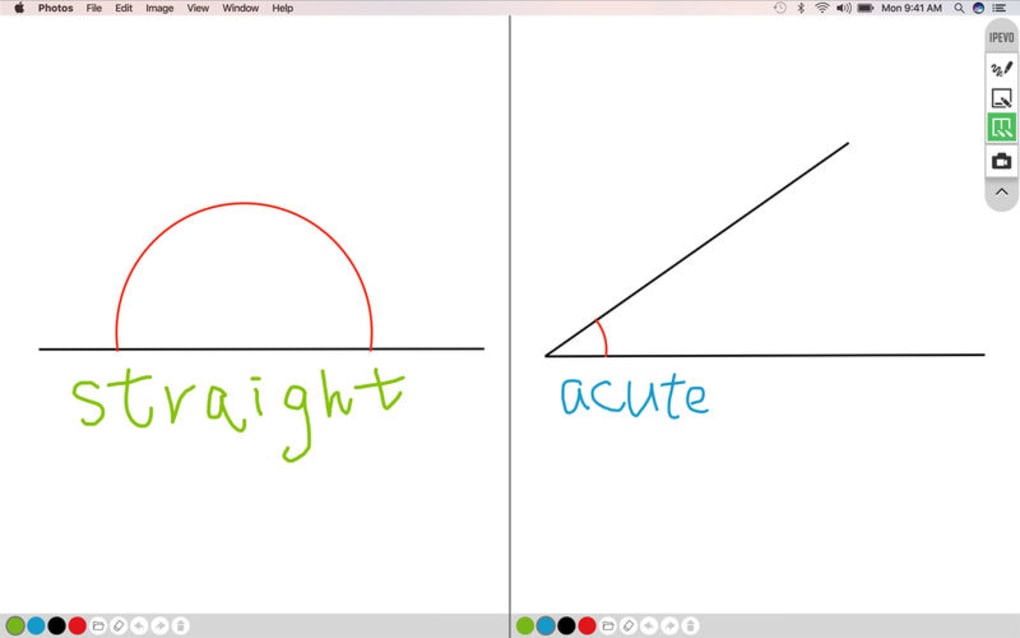
- Measurement tools such as protractors and rulers for precise drawings.
- Instant screenshot capture of the annotated screen.
- Video recording of annotation sessions for later playback.
- Undo/redo stack for effortless mistake correction.
- Selective eraser that removes only chosen strokes.
- Cross‑platform compatibility: Windows, macOS, Android, iOS.
These features combine to create a versatile whiteboard companion that works alongside any presentation software, learning management system, or video‑conferencing tool. The seamless integration means you never have to switch applications mid‑session, keeping the flow of information smooth and uninterrupted.
Installation & Usage Guide
Getting started with IPEVO Annotator is straightforward. Visit the official IPEVO website or your device’s app store, click “Download,” and run the installer (Windows) or the .dmg file (macOS). Mobile users can simply tap “Install” from the Google Play Store or Apple App Store. The installer is signed and verified, ensuring a secure download free from malware.
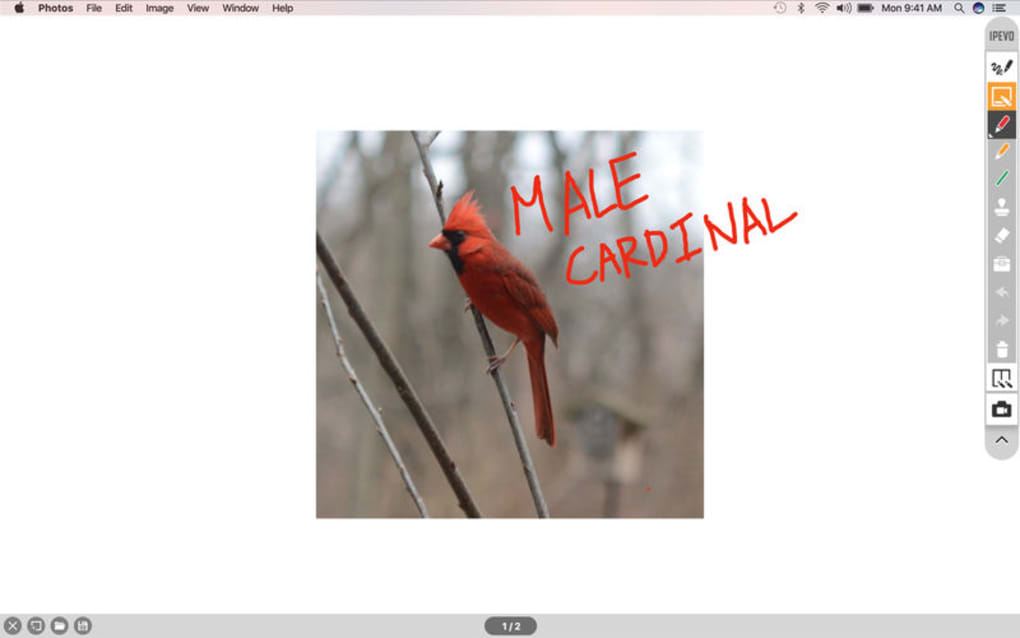
Once installed, launch the application. The main toolbar appears at the top of your screen, offering pen, shape, and eraser icons. Select a pen, choose a color, and begin drawing directly on any open window—be it a PowerPoint slide, PDF, or web browser. To add a shape, click the shape icon and drag on the canvas. Measurement tools are accessed via the “Tools” dropdown, where you can place a protractor or ruler for precise annotations.
Capturing your work is just as easy. Click the camera icon to snap a screenshot, or press the video camera to start recording. Both files are saved automatically to a designated “IPEVO Annotator” folder, ready for sharing via email or cloud storage. For collaborative sessions, enable dual‑pen mode in the settings menu; each participant receives a distinct pen color to avoid confusion.
Compatible operating systems include Windows 10/11, macOS 10.14 or later, Android 6.0+, and iOS 13+. System requirements are minimal: a 1 GHz processor, 2 GB RAM, and 100 MB of free disk space.
Pros, Cons, Frequently Asked Questions & Final Thoughts
Pros
- Completely free with no hidden costs.
- Intuitive UI that works across all major platforms.
- Robust annotation tools including dual‑pen support.
- Built‑in screenshot and video capture.
- Lightweight footprint – runs smoothly on older hardware.
Cons
- Lacks advanced layer management found in premium drawing apps.
- No built‑in cloud sync; files must be shared manually.
- Limited customization of shortcut keys.
FAQ
Is IPEVO Annotator truly free?
Yes, the application is free to download and use on all supported platforms. There are no subscription fees or hidden in‑app purchases.
Can I use IPEVO Annotator with Zoom or Microsoft Teams?
Absolutely. The app runs as an overlay, so you can annotate your shared screen in real time while presenting in Zoom, Teams, Google Meet, or any other video‑conferencing tool.
How do I enable dual‑pen mode?
Open the Settings menu, locate “Collaboration,” and toggle “Dual‑Pen Mode.” Each participant will be assigned a distinct pen color automatically.
Are recordings saved in a specific format?
Yes, video recordings are saved as MP4 files, while screenshots are saved as PNG images, ensuring broad compatibility with most devices and platforms.
Is my data secure when using IPEVO Annotator?
The application does not transmit any data to external servers unless you choose to share a file. All annotations are stored locally, keeping your content private.
Conclusion & Call to Action
IPEVO Annotator stands out as a no‑cost, cross‑platform solution that adds a powerful layer of interactivity to any digital whiteboard or presentation. Its straightforward interface, combined with dual‑pen collaboration and built‑in media capture, makes it especially valuable for educators and remote presenters. While it may lack the deep layering features of premium graphic suites, its lightweight design and zero price tag more than compensate for those omissions. Ready to upgrade your teaching or presenting workflow? Download IPEVO Annotator today and experience a more engaging, dynamic way to communicate your ideas.
Overall Rating: 4.5/5







